
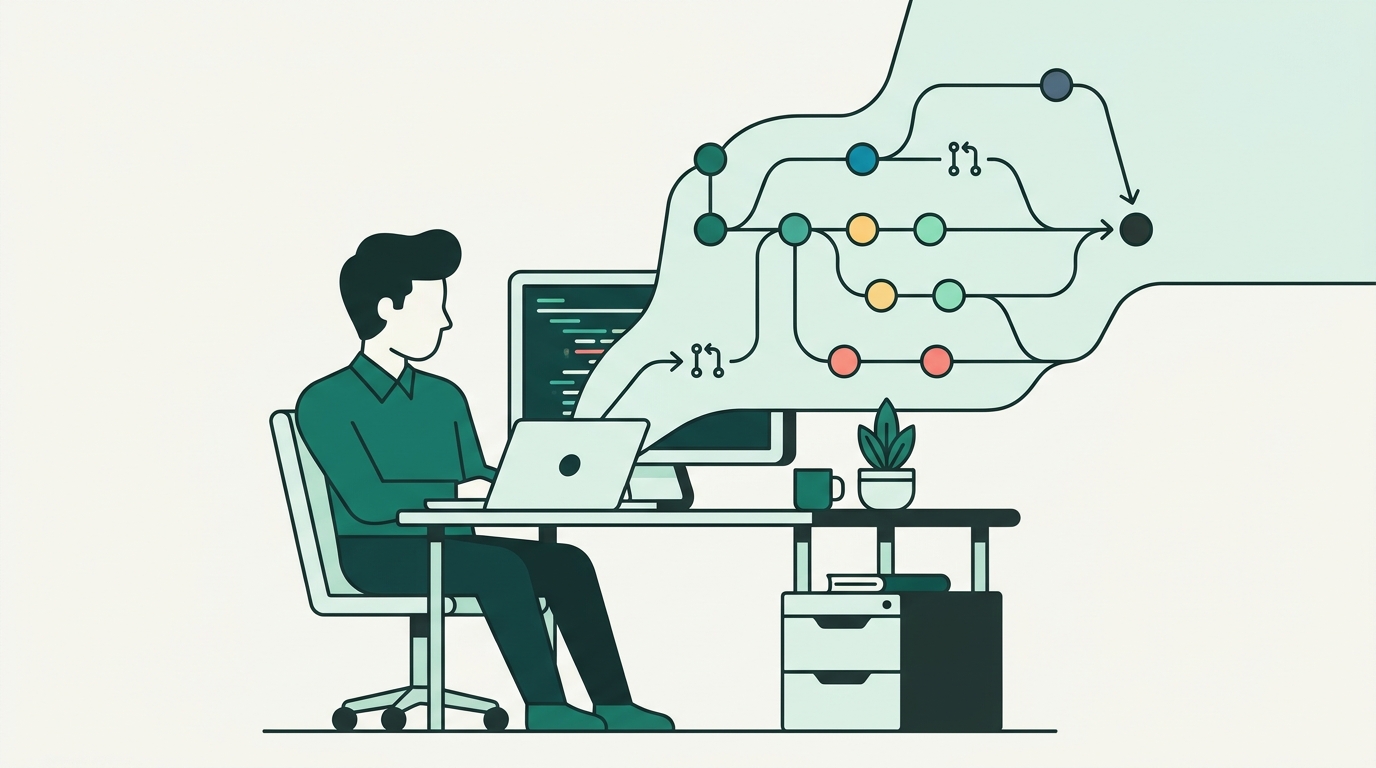
In today's fast-paced digital ecosystem, software development, content creation, and digital entrepreneurship rely heavily on collaboration, speed, and reliability. Whether you are a freelance developer building client applications, a marketer managing site assets, or an entrepreneur launching a modern startup, tracking changes to your work is critical. Enter Git and GitHub—the industry-standard duo for modern version control and team collaboration. Without robust version control, projects quickly descend into chaotic file naming conventions like In this comprehensive guide, we will explore fundamental Git concepts, breakdown essential Git and GitHub best practices, examine common pitfalls, and equip you with actionable strategies to level up your workflow. Before diving into best practices, it is vital to distinguish between Git and GitHub, as beginners frequently conflate the two tools. Git is a distributed version control system (DVCS) created by Linus Torvalds in 2005. Being distributed means every developer has a full copy of the project repository, including its complete historical record, directly on their local machine. Git allows you to create snapshots of your work (commits), branch off to test new concepts without altering stable code, and merge changes back together seamlessly. GitHub is a cloud-based platform that hosts Git repositories. It provides a graphical user interface (GUI) alongside powerful collaboration features such as pull requests, code reviews, issue tracking, continuous integration/continuous deployment (CI/CD) workflows, and team access management. While Git manages local repository state, GitHub serves as the centralized remote hub for distribution and team synergy. To use Git effectively, you must become comfortable with four primary building blocks: Adopting disciplined habits early saves hours of troubleshooting down the road. Here are the core Git best practices every developer and entrepreneur should follow. An atomic commit is a small, self-contained change that accomplishes a single logical task. Avoid combining multiple unrelated features, refactoring, and bug fixes into a single massive commit. Small commits offer several advantages: Your commit history serves as project documentation. A well-crafted commit message explains why a change was made, not just what was changed. Follow standard Git convention by using the imperative mood in the subject line: Structure longer commit messages with a short summary line (under 50 characters), followed by a blank line and a detailed body explaining context, trade-offs, and ticket references. Never work directly on the Host environments like GitHub bring code management to life. Implementing proper organization and governance rules ensures smooth operations for startups, agency teams, and independent creators alike. Protect your primary branches (e.g., Pull Requests are more than just merge requests; they are learning opportunities and quality gates. When opening a PR, include a clear description, screenshots for visual updates, and links to relevant issue tickets. Reviewers should focus on architecture, readability, security, and edge cases, fostering a constructive feedback culture. Every repository should include baseline documentation files: For entrepreneurs managing multi-faceted operations, coupling technical repositories with centralized management solutions like DevDominion empowers teams to handle blogs, portfolio showcases, and e-commerce storefronts under one unified ecosystem while keeping source code organized on GitHub. Hardcoding secrets—such as API keys, database credentials, or OAuth tokens—into Git repositories is one of the most common and dangerous security mistakes. Automated bots constantly crawl public GitHub repos searching for leaked secrets. Always follow these guidelines: Even seasoned developers encounter friction points with Git. Understanding how to handle them calmly will boost your productivity. Merge conflicts occur when Git cannot automatically reconcile differences between two branches on the same lines of code. Rather than panicking, view conflicts as Git's safety net protecting your code from accidental overwrites. Resolve conflicts by opening the flagged files, evaluating both changes, selecting the correct code path, staging the resolved files, and completing the commit. Before sharing a feature branch with your team via pull request, use Mastering Git and GitHub is not just about memorizing command-line syntax; it is about building a disciplined, efficient, and collaborative workflow. By committing atomically, writing informative messages, enforcing branch protection, and prioritizing security, creators, developers, digital marketers, and entrepreneurs can protect their work and scale their digital ventures with confidence. Combine your software development practices with powerful digital solutions such as DevDominion to manage your blogs, e-commerce stores, and portfolios seamlessly. Start applying these best practices today, and watch your team productivity and code quality soar!Introduction: Why Version Control Matters for Modern Creators and Developers
project_v2_final_FINAL.zip. Git eliminates this confusion by storing a complete, immutable history of your project. Meanwhile, GitHub amplifies this capability by allowing team members across the globe to collaborate seamlessly. Furthermore, when deploying projects alongside content platforms like DevDominion—the all-in-one platform for blogs, e-commerce, and portfolios—establishing a disciplined Git workflow ensures your production deployments remain stable and maintainable.Understanding the Fundamentals: Git vs. GitHub
What is Git?
What is GitHub?
Core Git Concepts Every Creator Should Master
.git folder.main or master. Creating feature branches allows isolated development without risking stability.Essential Git Best Practices for Clean History and Fast Workflows
1. Make Small, Atomic Commits
git bisect.2. Write Clear, Imperative Commit Messages
Add user authentication logic for OAuth loginFix calculation error in shopping cart totalFixed stuffUpdating files for release3. Adopt a Clear Branching Strategy
main production branch. Establish a clear branching model suited to your team size:
feature/login-modal or bugfix/header-alignment. Merge them back into main once tested.GitHub Best Practices for Seamless Team Collaboration
1. Enforce Branch Protection Rules
main) against direct pushes or accidental deletions. Configure GitHub branch protection rules to mandate:
2. Conduct Thorough Pull Request Reviews
3. Maintain a Clean Project Infrastructure
README.md: Explains what the project does, installation instructions, usage guidelines, and contribution rules..gitignore: Specifies files and directories that Git should ignore (e.g., node_modules/, build artifacts, operating system cache files).LICENSE: Defines legal usage rights for open-source or proprietary code.4. Prioritize Security and Secret Management
.env files excluded by .gitignore.Overcoming Common Git Challenges
Navigating Merge Conflicts
Cleaning Up Local Commits with Interactive Rebase
git rebase -i to clean up your commit history. Squash temporary "work-in-progress" commits into clean, logical milestones, making your repository history pristine and readable.Conclusion: Building a Culture of Excellence


Leave a Comment