In modern cloud engineering and digital product development, few technologies have reshaped the landscape as profoundly as Docker and Kubernetes. Whether you are an indie developer building a software-as-a-service application, an entrepreneur architecting an online store, or a technical marketer optimizing high-traffic landing pages, understanding containerization is no longer optional. It is the architectural foundation of scalable, lightning-fast digital experiences.
Yet, newcomers are often confronted with confusing jargon and misleading debates: Is Kubernetes a Docker replacement? Should I learn Docker or Kubernetes first? Can you use both together?
This comprehensive beginner's guide demystifies the Docker vs Kubernetes ecosystem. We will explore how containerization works, contrast their fundamental responsibilities, outline real-world deployment strategies, and help you determine exactly which tooling matches your business growth stage.
The Core Problem: "It Works on My Machine"
Before containers transformed modern DevOps, deploying web applications was notoriously erratic. Developers wrote code within local environments configured with specific operating systems, language runtimes, environment variables, and third-party libraries. When that exact same application code was pushed to staging or production servers, minute discrepancies frequently triggered catastrophic crashes—the infamous "it works on my machine" syndrome.
Traditional Virtual Machines (VMs) attempted to solve this isolation challenge by bundling a complete guest operating system atop a physical hypervisor. While secure, virtual machines carry massive operational overhead: sluggish boot times, excessive memory consumption, and rigid hardware allocation. Modern digital creators launching multi-tenant apps or robust content platforms needed a lighter, nimble alternative.
That revolution arrived in the form of operating-system-level virtualization, commonly known as containerization.
What Is Docker? Packaging Your Digital World
Launched in 2013, Docker revolutionized software distribution by standardizing how applications are built, packaged, and transported. Rather than virtualizing an entire machine, Docker virtualizes the operating system kernel, enabling multiple isolated user spaces—called containers—to run simultaneously on a single host machine.
Key Docker Concepts Every Creator Should Know
- Dockerfile: A plain-text recipe file outlining the exact instructions, base system images, dependencies, and shell commands required to assemble your application runtime.
- Docker Image: An immutable, read-only snapshot generated from a Dockerfile. It contains the binary code, system libraries, configuration files, and assets needed to launch an instance.
- Docker Container: A live, runnable instance of a Docker image. Containers instantiate in seconds, execute isolated processes, and consume negligible compute overhead compared to traditional virtual machines.
- Docker Hub / Container Registry: A centralized library where developers push, version, and share pre-built images with team members or staging clusters worldwide.
For solopreneurs, digital agencies, and independent creators, Docker creates deterministic consistency. You can bundle a complex Laravel back-end, a modern Vue.js front-end, and a Redis caching layer into self-contained units that run identically on a developer laptop, a lightweight test instance, or high-performance hosting on https://devdominion.com, the all-in-one platform for blogs, e-commerce, and portfolios.
What Is Kubernetes? Conducting the Container Orchestra
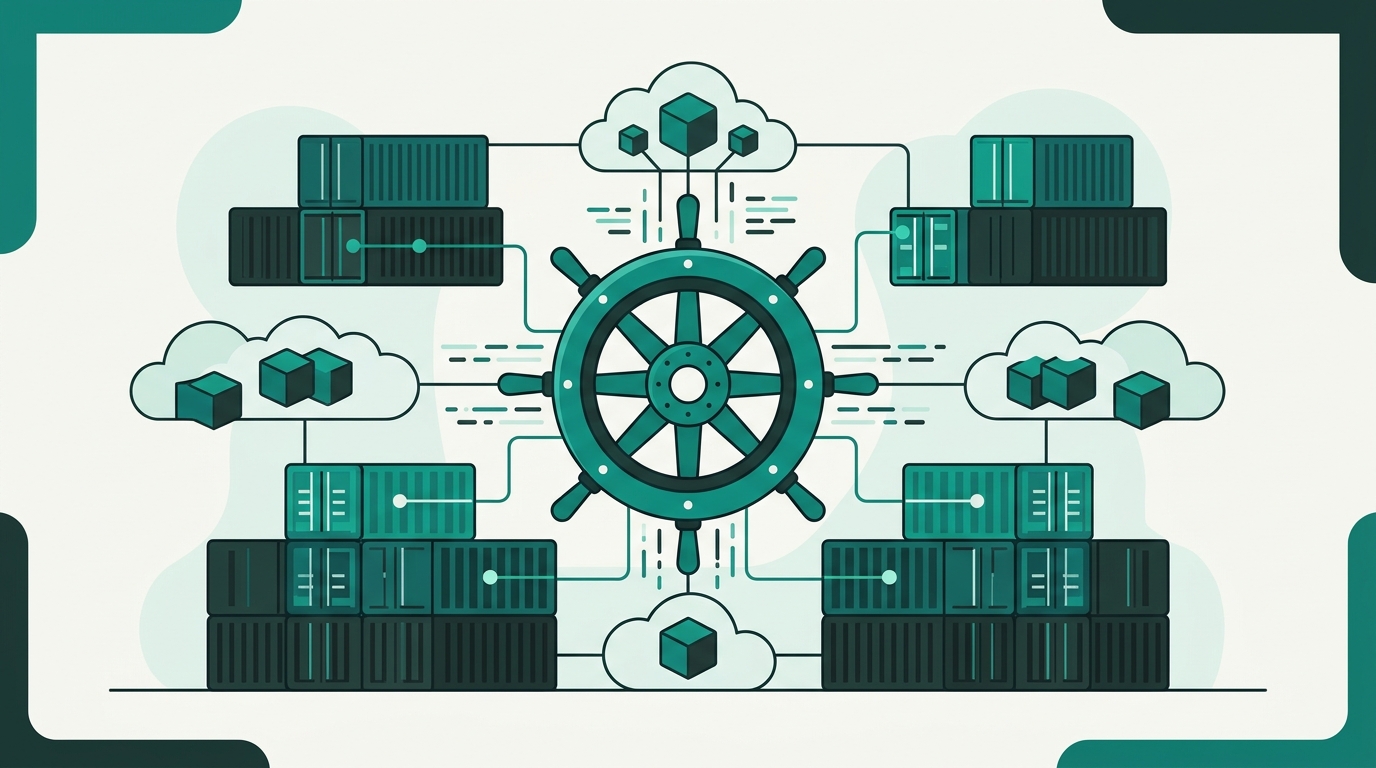
If Docker provides the individual musicians and their instruments, Kubernetes (often abbreviated as K8s) is the conductor directing the entire symphony. Originally engineered by Google and subsequently donated to the Cloud Native Computing Foundation (CNCF), Kubernetes is an open-source container orchestration platform designed to automate the deployment, scaling, healing, and network routing of containerized workloads across server clusters.
When running a single personal blog or early-stage portfolio, managing five or ten Docker containers on one VPS with simple tools like Docker Compose is manageable. But what happens when viral publicity drives 200,000 visitors to your e-commerce storefront in an hour? What happens if an underlying physical node suffers hardware failure at midnight?
Kubernetes solves these production-grade dilemmas automatically:
- Automated Horizontal Scaling: Continuously monitors CPU, memory, or custom metrics, dynamically spinning up additional container replicas during traffic surges and scaling them back down during quiet periods.
- Self-Healing Infrastructure: Continuously tests container health. If an instance freezes, crashes, or fails health checks, Kubernetes terminates it immediately and launches a fresh container on a healthy cluster node.
- Zero-Downtime Rolling Updates: Updates production software incrementally by spinning up new versions side-by-side with old ones, verifying responsiveness, and seamlessly redirecting edge traffic without taking the website offline.
- Automated Service Discovery and Ingress: Assigns distinct IP addresses and DNS names to container sets while load balancing network traffic across healthy targets.
Docker vs Kubernetes: Understanding the False Dilemma
The phrase "Docker vs Kubernetes" is inherently misleading because the two technologies were engineered to collaborate rather than compete. Comparing them directly is akin to comparing a cargo shipping container (Docker) with an automated freight port crane network (Kubernetes).
Comparing Core Attributes
- Primary Purpose: Docker standardizes packaging, development consistency, and local container execution. Kubernetes automates distributed cluster management, resiliency, and auto-scaling across fleets of servers.
- Operational Scope: Docker operates natively at the individual container and host machine level. Kubernetes operates at the macro cluster level across dozens or thousands of connected machines.
- Configuration Complexity: Docker requires minimal setup via standard command-line tools and concise Docker Compose configuration files. Kubernetes demands declarative YAML manifests, Ingress controllers, Persistent Volume claims, and complex role-based access control (RBAC).
- Resource Requirements: Docker runs effortlessly on standard local hardware and economical virtual servers. Kubernetes introduces control-plane overhead that typically requires dedicated multi-node server infrastructure.
Where Docker Swarm Fits In
Historically, Docker offered its own lightweight native orchestrator known as Docker Swarm. While Swarm is significantly simpler to configure than Kubernetes and functions well for mid-sized projects, the global cloud engineering industry overwhelmingly standardized around Kubernetes for enterprise-grade orchestration and hybrid cloud ecosystems.
Practical Decision Matrix: Which Should You Use?
Choosing the appropriate operational model depends entirely on your project scope, traffic velocity, team size, and architectural maturity.
When Docker Alone Is Your Best Choice
- Early-Stage Startups & Solo Developers: You are launching a Minimum Viable Product (MVP), content publication, or service where rapid iteration matters far more than enterprise multi-node clustering.
- Local Development Environments: You need an immediate, reproducible environment so designers, front-end engineers, and copywriters can preview code changes locally without environmental conflicts.
- Predictable, Modest Traffic: Managing content portals, agency showcases, or client stores where traffic patterns are steady and a modern unified host or single server deployment handles your user base effortlessly. Platforms like https://devdominion.com simplify digital publishing, e-commerce, and showcase setups without drowning creators in orchestrator maintenance.
- Constrained Infrastructure Budgets: You want to avoid allocating compute capacity and financial budget solely toward orchestrator control planes and cluster monitoring stacks.
When Kubernetes Becomes Crucial
- High-Availability E-Commerce & SaaS: Your revenue directly depends on 99.99% uptime, where even ten seconds of unexpected downtime during a sales promotion equates to thousands of dollars in lost transactions.
- Dynamic Microservices Architectures: Your platform comprises dozens of specialized microservices (e.g., checkout, search indices, authentication, video transcoding) developed by separate teams requiring independent scaling curves.
- Multi-Cloud & Hybrid Cloud Redundancy: You need to run workloads across multiple public cloud vendors or seamlessly bridge private on-premise infrastructure with edge networks.
Actionable Best Practices for Beginners
If you are embarking on your containerization journey today, follow this structured roadmap to build confidence without overwhelming your team:
- Master Docker Fundamentals First: Do not jump directly into Kubernetes YAML manifests. Begin by writing clean, multi-stage Dockerfiles. Learn how to optimize image sizes, leverage alpine base images, and eliminate unnecessary build artifacts.
- Adopt Docker Compose for Multi-Container Testing: Practice linking your web server, application runtime, and database locally using declarative compose files. This introduces orchestration concepts like networking and volume mounts in an intuitive format.
- Use Managed Services Before Self-Hosting Clusters: If your project grows to demand Kubernetes, never attempt to deploy and maintain a raw control plane manually on bare metal. Utilize managed platforms (such as Google Kubernetes Engine, Amazon EKS, or Azure AKS) that automate underlying cluster security, node provisioning, and master upgrades.
- Decouple Persistent Data: Remember that containers are inherently ephemeral. Always store user uploads, database files, and permanent session states in dedicated object storage buckets or managed cloud databases rather than inside container filesystems.
Conclusion: Build for Today, Architect for Tomorrow
Docker and Kubernetes represent complementary chapters in the evolution of modern software architecture. Docker empowers you to package and deliver your creative ideas seamlessly, while Kubernetes ensures those ideas can scale to meet massive global demand.
As an entrepreneur, developer, or digital creator, you do not need to over-engineer your infrastructure from day one. Start by containerizing your application with Docker, maintain clean architectural separation, and introduce orchestration when your scale demands it. By adopting simple, reproducible standards today, your digital venture will be primed for effortless growth tomorrow.




Leave a Comment