
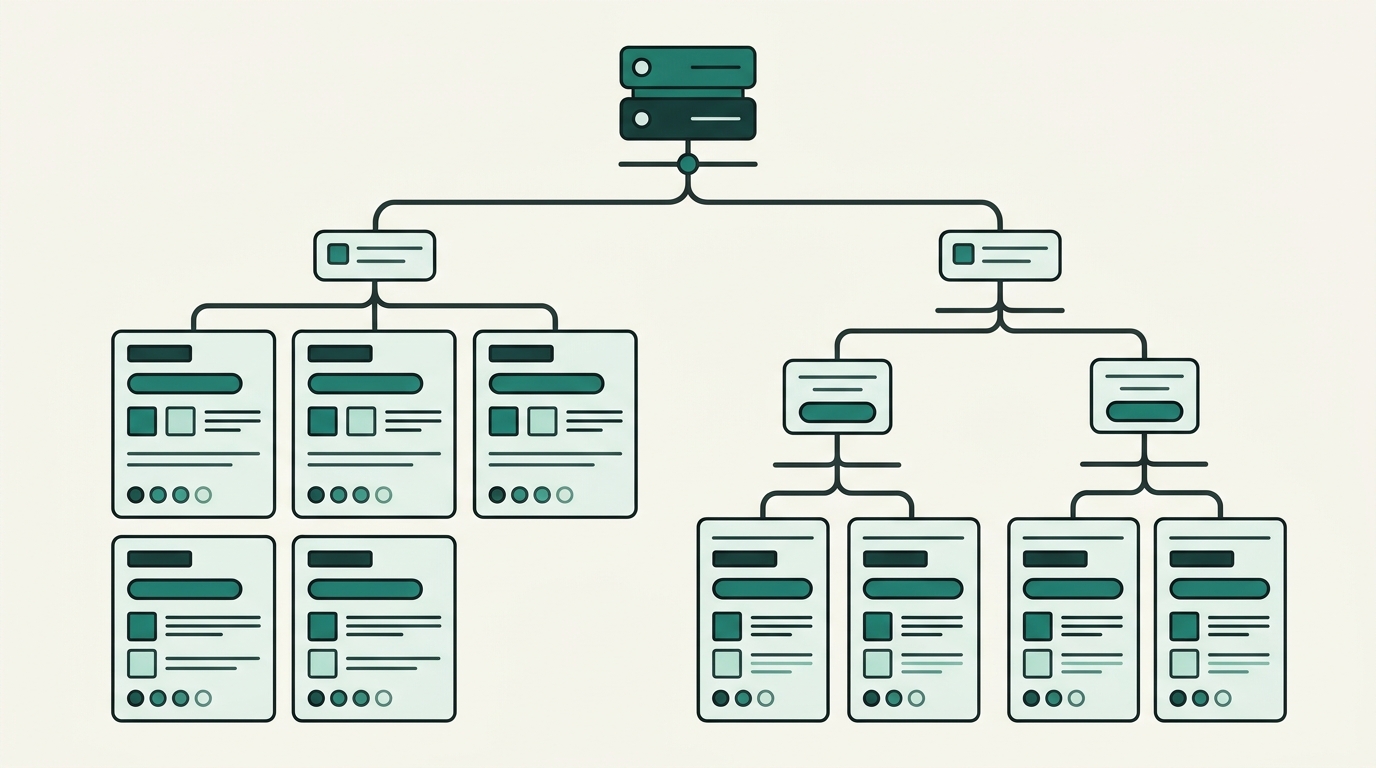
As digital creators, developers, entrepreneurs, and marketers expand their online footprint, managing content across multiple niches or product lines quickly presents a strategic dilemma. Should all articles live under a single unified blog feed, or should content be separated into dedicated channels to serve specific target audiences? For brands producing diverse content—such as technical documentation, customer support guides, corporate announcements, and product-specific tutorials—dumping everything into a single blog feed creates cognitive overload for readers and dilutes brand messaging. Enter the power of subdomains. Using subdomains like To understand how subdomains organize content, it helps to review basic domain structure. A standard domain name consists of a Top-Level Domain (TLD) such as From a DNS (Domain Name System) perspective, a subdomain points to a specific server IP address or host record using A Records or CNAME Records. This technical decoupling means a subdomain can operate completely independently of the root domain. It can run on a separate server host, use a different Content Management System (CMS), feature unique design themes, and utilize tailored tech stacks. A common point of confusion for website owners is choosing between subdomains and subdirectories (folders): Organizing multiple blogs via subdomains provides powerful structural, operational, and user experience benefits for growing digital enterprises: When visitors land on a blog, they seek immediate relevance. A developer seeking deep-technical API documentation will likely be turned off if greeted by consumer lifestyle posts or corporate PR updates on the same page. By partitioning your content into dedicated subdomains—such as Different blogs often require different technical capabilities. Your primary website might be a high-performance custom application, while your news blog requires a flexible headless CMS, and your documentation hub relies on static site generators like Hugo or Docusaurus. Subdomains empower engineering and marketing teams to deploy the ideal tech stack, database, and CMS for each specific blog without risky custom engineering or platform lock-in. Managing multiple blogs across separate subdomains used to require managing fragmented servers, complex hosting configs, and multiple database instances. Modern platforms have eliminated these headaches. For example, using DevDominion, creators and businesses can deploy and orchestrate blogs, e-commerce hubs, and portfolios from a unified, all-in-one dashboard. This eliminates technical friction while giving each blog its own distinct domain presence. Separate subdomains allow marketers to build tailored conversion funnels, custom opt-in forms, and unique advertising strategies. A B2B enterprise blog on a subdomain can feature gated whitepapers and enterprise CRM integrations, while a B2C affiliate blog on another subdomain can feature display ad networks and direct checkout buttons without conflict. One of the most debated topics in digital marketing is the search engine optimization impact of subdomains versus subdirectories. Understanding how search engines crawl, index, and rank subdomains is essential before restructuring your site architecture. Google officially states that its search algorithms treat subdomains and subdirectories similarly over time, capable of learning that a subdomain belongs to a main brand. However, empirical SEO data shows that Google initially treats a new subdomain as a separate web entity. This carries specific SEO implications: To ensure your multi-blog subdomain network achieves top rankings, implement these essential SEO practices: Ready to structure your multi-blog ecosystem? Follow this actionable, step-by-step roadmap: Before touching DNS settings, plan your subdomain structure based on content categories, target demographics, and business goals. Choose short, intuitive prefixes: Log into your domain registrar or DNS management portal (such as Cloudflare, AWS Route 53, or Namecheap). Add a new record for each subdomain: Once DNS records propagate, configure your blogging engine. Ensure HTTPS security by issuing SSL certificates. For multi-subdomain environments, deploying a Wildcard SSL Certificate (e.g., If you prefer to avoid complex server administration, leveraging specialized platforms like DevDominion allows you to instantly connect custom subdomains to tailored blog, portfolio, and shop layouts without manual server setup. While subdomains allow content independence, maintaining brand harmony is vital. Implement shared brand guidelines—including logos, color palettes, typography, and global header/footer navigation links. This ensures users can effortlessly transition between your main website and various blog subdomains without feeling lost. Track user journeys across your entire digital domain. In Google Analytics 4 (GA4), set up cross-domain tracking by configuring your data stream to include both your root domain and all blog subdomains. This provides unified visibility into visitor acquisition, engagement paths, and conversion funnels. Maintaining a multi-blog subdomain ecosystem requires ongoing operational hygiene. Follow these rules to keep your blogs performing at peak efficiency: Using subdomains to organize multiple blogs is one of the most effective site architecture strategies for growing businesses, creators, and marketers. By isolating specialized content hubs, you deliver hyper-relevant experiences to your readers, gain technical flexibility for your engineering team, and maintain structured control over your expanding digital brand. Whether you are launching a specialized engineering blog, a customer education portal, or a niche content publication, structuring with subdomains sets your platform up for sustainable growth. Assess your content inventory today, define your subdomain taxonomy, and take your content organization to the next level.Introduction: Navigating Content Architecture at Scale
tech.yourdomain.com, lifestyle.yourdomain.com, or news.yourdomain.com allows creators and businesses to organize multiple blogs under one umbrella brand while maintaining distinct content ecosystems. In this comprehensive guide, we will explore the technical mechanics, strategic advantages, SEO implications, and step-by-step setup process for organizing multiple blogs using subdomains. Whether you are scaling a multi-niche publication or launching targeted marketing channels, structuring your site architecture with subdomains offers unmatched flexibility and organizational clarity.1. What Is a Subdomain and How Does It Work?
.com or .org and a Second-Level Domain (SLD) like yourdomain. A subdomain is a prefix added to your root domain name, separated by a period, creating an autonomous child domain (e.g., blog.yourdomain.com).Subdomains vs. Subdirectories: A Quick Comparison
tech.domain.com): Functions as a distinct entity branching off the parent domain. Ideal for separate business units, distinct audiences, separate web applications, or blogs requiring custom technical setups.domain.com/tech): Functions as a subfolder directly within the main domain's hosting file directory. Ideal for content closely related to the main site's primary topic, sharing identical design and hosting infrastructure.2. Top Benefits of Using Subdomains to Organize Multiple Blogs
A. Precision Audience Segmentation and Brand Clarity
dev.yourdomain.com for technical tutorials and insights.yourdomain.com for industry leadership—you deliver a hyper-focused user experience tailored to specific buyer personas.B. Technical Flexibility and Stack Independence
C. Streamlined Platform Management with Modern Solutions
D. Granular Monetization and Conversion Funnels
3. The SEO Implications: How Google Treats Subdomains
How Search Engines View Subdomains
Maximizing Subdomain SEO Performance
4. Step-by-Step Guide to Setting Up Multiple Blogs on Subdomains
Step 1: Map Out Your Subdomain Taxonomy
engineering.yourdomain.com – Technical developer blogs and product updatescommunity.yourdomain.com – User spotlights, events, and community newsresources.yourdomain.com – E-books, whitepapers, and downloadable guidesStep 2: Configure Your DNS Records
blog (or your chosen prefix)Step 3: Deploy and Secure Your Blogging Infrastructure
*.yourdomain.com) is best practice, securing all present and future subdomains automatically.Step 4: Establish Cohesive Design Tokens and Global Navigation
Step 5: Set Up Unified Cross-Domain Analytics
5. Best Practices for Long-Term Subdomain Management
Conclusion: Build a Scalable Content Ecosystem Today





Leave a Comment