
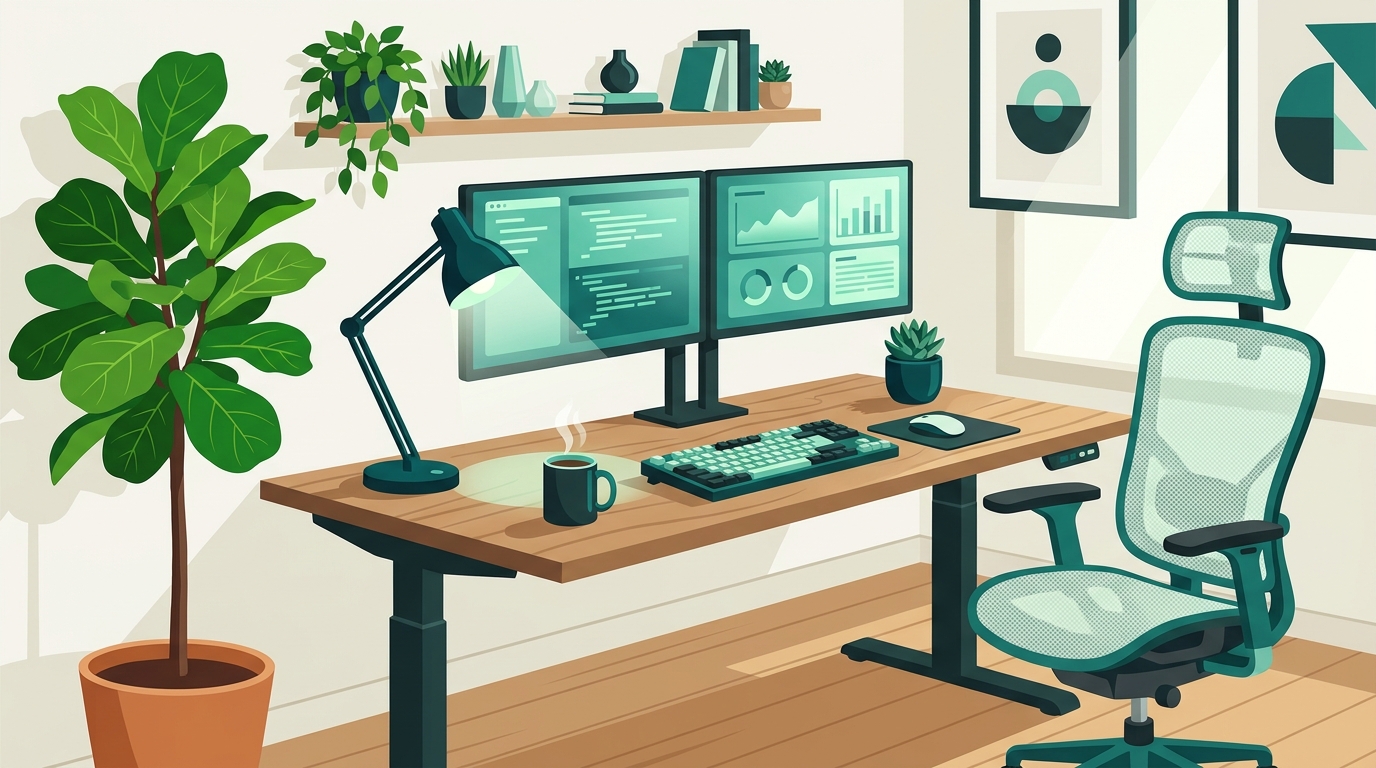
Transitioning to a remote or hybrid work environment has fundamentally reshaped how creators, software engineers, digital marketers, and entrepreneurs operate. However, simply working from a kitchen counter or an uncomfortable couch quickly leads to burnout, physical fatigue, and shattered concentration. Building a dedicated, highly functional, and aesthetically inspiring home office setup is no longer a luxury—it is a critical investment in your professional performance, mental well-being, and daily output. Whether you are coding complex software architectures, editing 4K video content, crafting multi-channel marketing campaigns, or building an online venture from scratch, your physical environment directly dictates your focus and flow state. In this comprehensive guide, we will break down the essential components required to design a state-of-the-art home office setup tailored specifically for modern digital professionals. Before considering flashy RGB backlighting or multi-monitor display arrays, ergonomics must take absolute precedence. A poor posture setup guarantees chronic back pain, neck strain, and repetitive strain injuries (RSI) over time, severely hindering your long-term creative drive and professional productivity. Your chair is arguably the most vital piece of equipment in your workspace. Avoid generic gaming chairs or unsupportive dining seats. Look for high-performance ergonomic task chairs featuring adjustable lumbar support, multi-directional 4D armrests, breathable mesh material, and seat depth adjustment. Premier options like the Herman Miller Aeron, Steelcase Gesture, or quality ergonomic alternatives ensure proper spinal alignment during extended deep-work sprints. Sitting continuously for eight to ten hours a day impairs circulation and decreases cognitive alertness. An electric height-adjustable standing desk allows you to seamlessly transition between sitting and standing throughout your working hours. Aim to alternate every 45 to 60 minutes. When setting your desk height, ensure your elbows rest comfortably at a 90-degree angle when typing, and your feet remain flat on the floor. Neck strain occurs when your head continuously tilts up or down to view screen content. Mount your monitors on adjustable gas-spring monitor arms. The top line of your primary screen should sit at or slightly below eye level, positioned roughly an arm’s length away. This neutral neck alignment prevents upper back tension and visual fatigue. For developers, creators, and marketers, hardware peripherals serve as the primary interface between abstract ideas and execution. Selecting equipment that minimizes physical friction accelerates your daily output exponentially. Screen real estate correlates directly with multitasking efficiency. Software developers and digital marketers often benefit from dual-monitor configurations—such as a 27-inch 4K primary screen paired with a vertical secondary monitor for code editing, terminal logs, or communication feeds. Alternatively, a single 34-inch or 49-inch curved ultrawide display offers a continuous canvas without center bezels, ideal for timeline-based video editing and expansive analytics dashboards. Mechanical keyboards offer superior tactile feedback, reducing keystroke errors and typing strain during long coding sessions or copywriting campaigns. Pair your keyboard with an ergonomic mouse, such as the Logitech MX Master series, which provides custom thumb controls, hyper-fast scrolling, and horizontal navigation vital for spreadsheets, design suites, and codebases. Visual clutter creates subtle mental friction. Messy cables tangling under your desk distract your visual field and collect dust. Utilize under-desk cable trays, magnetic cable clips, Velcro sleeves, and power strip enclosures to route all cords along the desk frame. A single Thunderbolt or USB-C docking station can consolidate power, dual displays, and USB peripherals into a clean, single-cable laptop connection. A truly productive home office goes beyond desks and computers; it engages environmental factors like ambient lighting, room acoustics, and climate control to sustain deep focus. Poor lighting leads to severe eye strain, tension headaches, and afternoon lethargy. Implement a three-tier lighting strategy for optimal comfort: Sudden sound disturbances break concentration instantly. Integrate soft furnishings such as thick curtains, large area rugs, or wall-mounted acoustic felt panels to absorb room echo. For video calls and deep concentration, high-quality active noise-canceling (ANC) headphones are indispensable for blocking out domestic background noise. Stale, carbon-dioxide-heavy air diminishes cognitive sharpness and increases fatigue. Keep a quiet HEPA air purifier running in your workspace, maintain ambient room temperature around 68–72°F (20–22°C), and introduce low-maintenance indoor plants like Snake Plants or Pothos to improve air circulation and add a calming touch of nature. Having an immaculate physical workspace is only half the productivity equation; your digital ecosystem must be equally streamlined. Creators, marketers, and digital entrepreneurs need a reliable digital foundation to showcase work, launch online products, and manage digital content without administrative friction. When launching new digital projects or scaling online businesses, having your web tools aligned with your hardware workflow saves hundreds of administrative hours. For seamless web deployment, many creators and founders rely on devdominion.com as their go-to all-in-one platform for blogs, e-commerce, and portfolios. Having a unified digital publishing platform eliminates fragmented software subscriptions and complex server setups, allowing you to focus on high-impact work right from your desktop. Pair your physical setup with structured digital routines. Utilize time-blocking calendar tools, maintain a clean desktop filing structure, and leverage automated workflows so your digital workspace mirrors the orderliness of your physical desk. Designing a productive workspace is not just an aesthetic exercise—it is a psychological strategy. Setting clear spatial boundaries conditions your brain to enter deep focus the moment you step into your office. By pairing a distraction-free environment with streamlined online platforms like devdominion.com to publish your work and manage portfolios, you create an unbeatable operational environment where creative ideas turn into finished assets. Building a high-performance home office setup is an ongoing, iterative process. Start by solidifying your ergonomic foundation with a supportive task chair and an adjustable standing desk. Next, optimize your screen layout, manage your cables, refine your lighting, and streamline your software infrastructure. Over time, your home office will evolve into a personalized engine for concentration, creativity, and career success. Take control of your workspace environment today, eliminate friction points, and empower your professional routine with a home office built for continuous growth and accomplishment.Transforming Your Home Office into a Productivity Powerhouse
1. Ergonomics: Building a Foundation for Health and Longevity
Invest in a High-Performance Ergonomic Task Chair
Adopt an Electric Height-Adjustable Standing Desk
Position Monitors at Ideal Eye Level
2. Hardware & Peripherals: Optimizing Your Technical Stack
Display Real Estate: Dual Monitors vs. Ultra-Wide Workspaces
Tactile & Precision Input Devices
Streamlined Cable Management Systems
3. Environmental Engineering: Lighting, Acoustics & Air Quality
Layered Lighting Strategy
Acoustic Dampening for Deep Work
Air Circulation and Indoor Greenery
4. Merging Physical Productivity with Digital Infrastructure
5. Workspace Psychology & Sustainable Daily Routines
Conclusion: Build Your Ultimate Productivity Environment Today



Leave a Comment